
Dual Interface: Side Panel & HUD
Work side-by-side with web documentation without switching tabs. Press Alt+H to summon a floating, draggable quick-note overlay anytime.
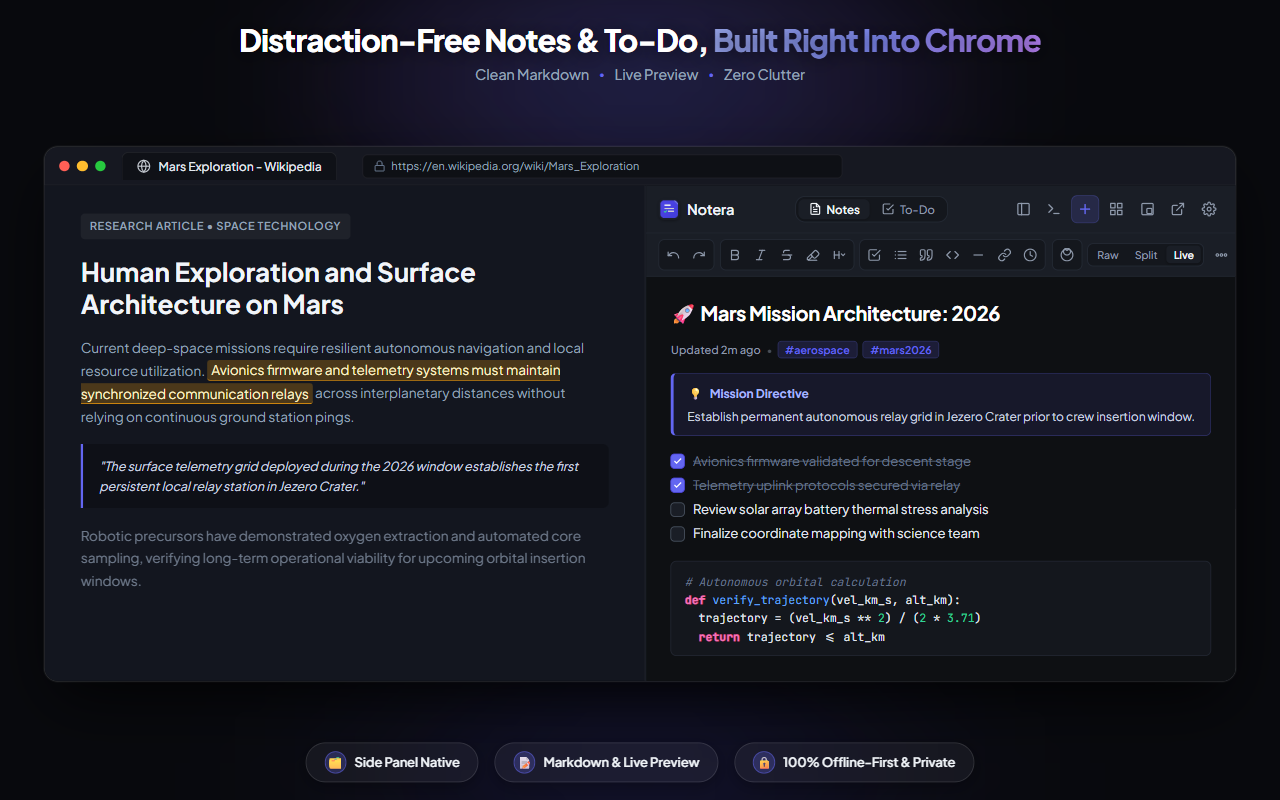
A calm workspace living right alongside your browsing in a companion Side Panel, floating HUD, and rapid popup. Zero trackers, zero cloud lock-in, pure productivity.
Everything you need to write, research, and organize thoughts without ever breaking your browsing rhythm.
Work side-by-side with web documentation without switching tabs. Press Alt+H to summon a floating, draggable quick-note overlay anytime.
Check off items with satisfying micro-animations. Extract - [ ] checkboxes from notes directly into your task list with visual completion meters.
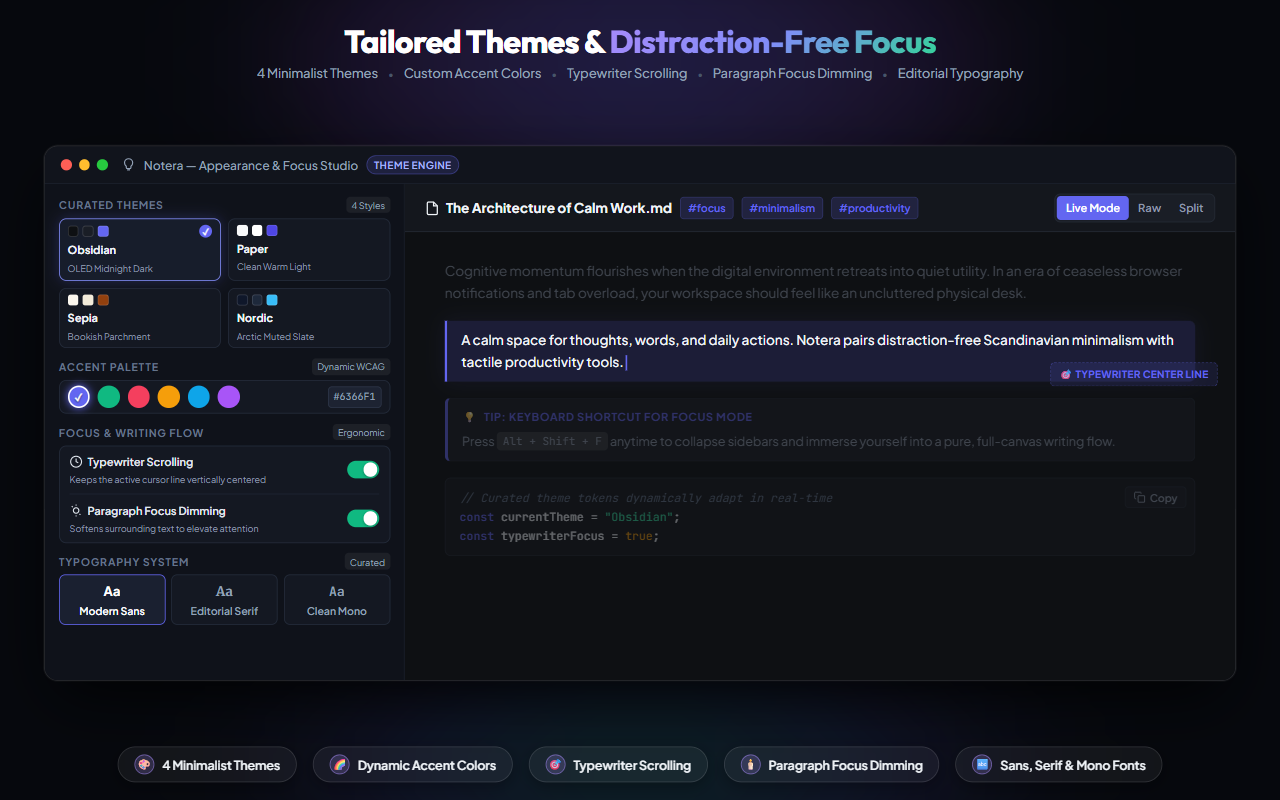
Choose between Paper (Warm Light), Obsidian (OLED Dark), Sepia (Bookish Warmth), and Nordic Frost (Slate). Features custom accent color presets and WCAG contrast adjustment.
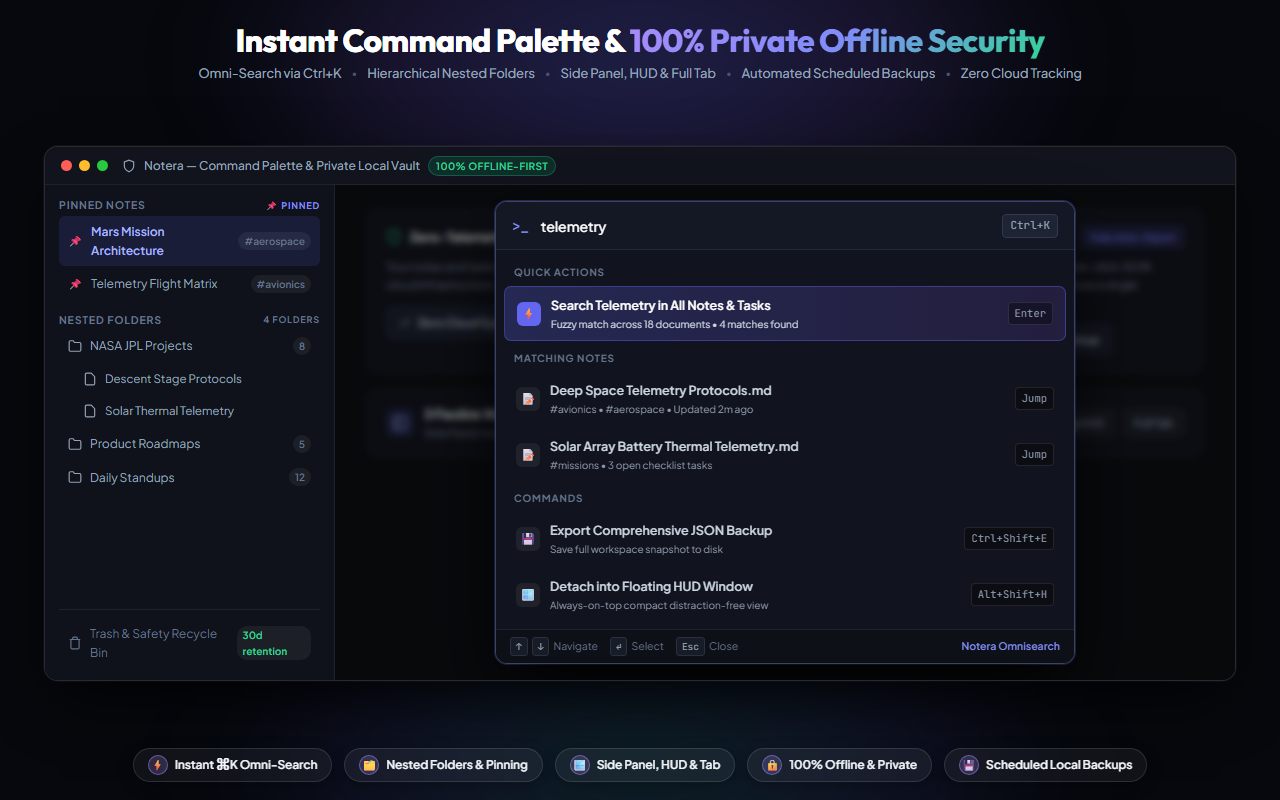
No external servers, no tracking, and no accounts required. Notes and tasks stay strictly in your Chrome local storage with scheduled snapshots to Downloads.
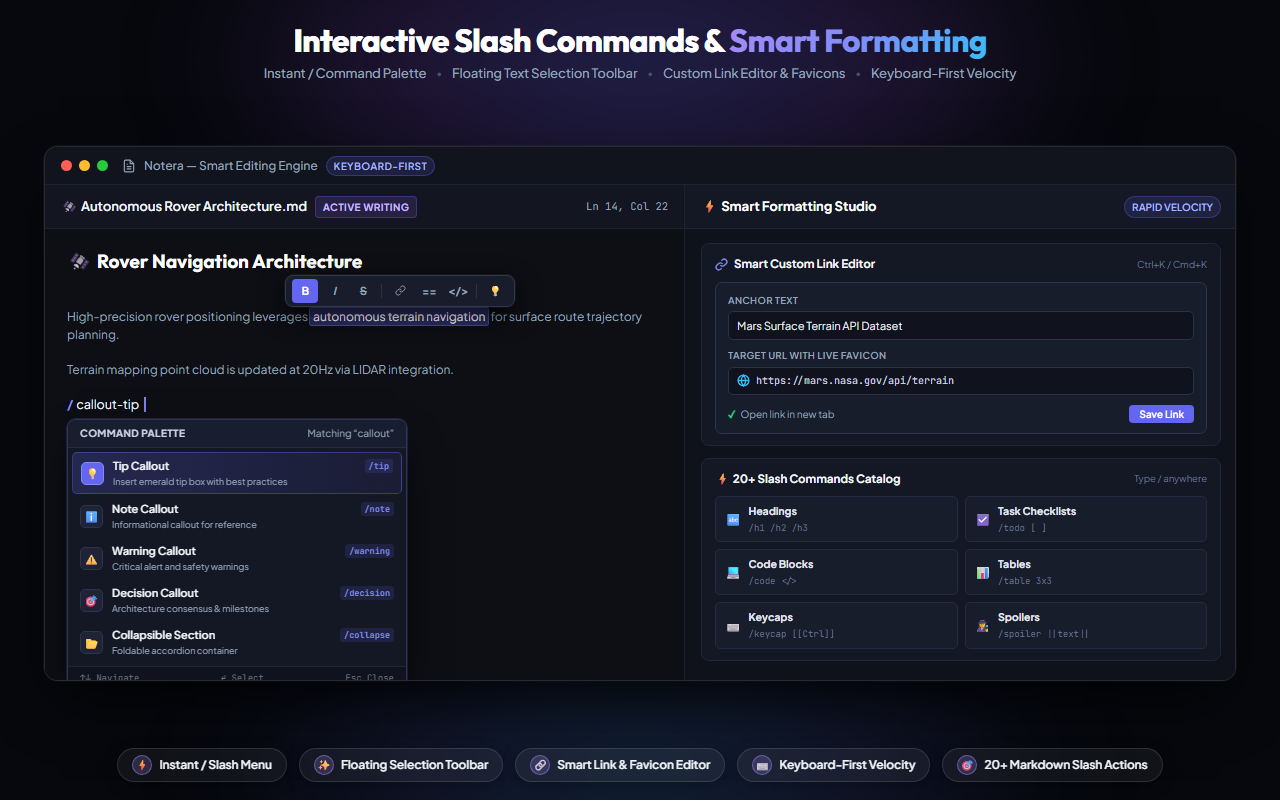
Designed for power users with intuitive keyboard shortcuts and quick-capture capabilities.
/ inside notes to insert callouts, checklists, spoiler blocks, code snippets, dividers, and meeting templates.Everything you need to know about Notera's architecture, security, and features.
Yes, Notera is 100% free with no subscriptions, in-app purchases, or locked features. All capabilities including themes, split markdown, templates, and automated backups are included.
Yes! Notera operates entirely locally in your browser. You can write notes, organize tasks, search tags, and export backups without requiring an active internet connection.
Pressing Alt+H activates an on-page draggable window directly on whatever webpage you are browsing. You can take notes or check off items without closing or leaving your current tab.
Yes. You can export individual notes as standard .md files, or download complete JSON snapshots anytime. Notera also supports scheduled automatic local backups to your Downloads folder.